
Recruiting software: the 8 types, what they cost and the best tools for each
What recruiting software does, the 8 types from sourcing to background checks, what each costs, and the best tools for each, for teams building a hiring stack.
Sayandeep Das12 min read

Key takeaways
- Recruiting software is any tool that helps you find, screen, interview or hire candidates. The applicant tracking system (ATS) is the centre; everything else plugs into it.
- There are eight main types: sourcing, recruiting CRM, ATS, AI screening, interview scheduling, assessments, interview intelligence, and background checks and offers.
- Small teams usually need only an ATS with AI screening and calendar scheduling at first, then add sourcing, assessments and checks as hiring volume grows.
- Pricing models vary by type: per seat for sourcing and scheduling, per test or credit for assessments, per report for background checks.
Recruiting software is a broad label. It covers the database you source candidates from, the applicant tracking system where applications land, the tool that books interviews, the test a developer takes, the note-taker in the interview and the background check before the offer. Buy the wrong mix and you end up paying for five tools that don't talk to each other.
This guide maps the eight types of recruiting software in the order a candidate meets them, what each one costs, the best tools in each category, and which ones a small team actually needs. We make Fluxberry, which appears in the ATS, AI screening and sourcing categories below; every other tool is described from its own website, checked in September 2026.
What is recruiting software?
Recruiting software is any tool that helps a company find, screen, interview or hire candidates. The core is an applicant tracking system (ATS), which holds jobs, applications and hiring decisions. Around it sit specialist tools for sourcing, candidate relationships, scheduling, assessments, interview notes and background checks, usually connected to the ATS.
The 8 types of recruiting software at a glance
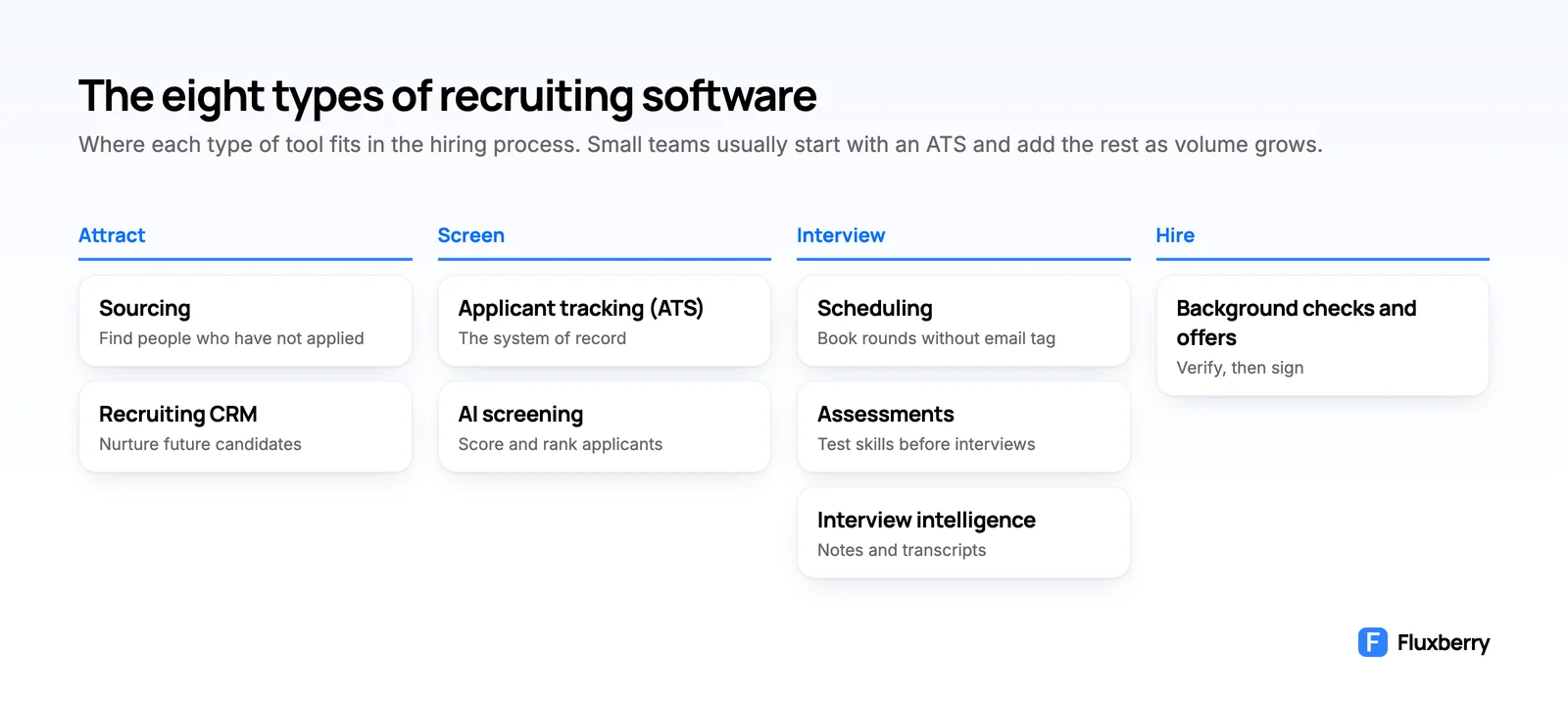
| Type | What it does | Example tools | Typical pricing |
|---|---|---|---|
| Sourcing | Finds people who haven't applied | Juicebox, SeekOut, hireEZ, LinkedIn Recruiter | Per seat |
| Recruiting CRM | Nurtures future candidates | Gem, Lever, Beamery | Per seat or headcount |
| Applicant tracking (ATS) | The system of record for hiring | Fluxberry, Greenhouse, Ashby, Workable | Flat, headcount or quote |
| AI screening | Scores and prioritises applicants | Built into most ATSs; hireEZ, Metaview, Gem on top | Included or credits |
| Interview scheduling | Books interviews without email tag | Calendly, GoodTime | Per seat or per candidate |
| Assessments | Tests skills before interviews | TestGorilla, HackerRank, Criteria | Per plan or credits |
| Interview intelligence | Records, transcribes and summarises interviews | Metaview, BrightHire | Per user |
| Background checks and offers | Verifies candidates, then signs the offer | Checkr, First Advantage, DocuSign | Per report or per user |
1. Sourcing tools
Sourcing software searches large databases of professional profiles for people who match a role, finds their contact details and helps you reach out. It matters most for hard-to-fill roles where the best people aren't applying.
Tools to consider:
- Juicebox searches 800M+ profiles across 30+ sources with plain-language prompts. It has a limited plan at no cost, and paid plans from $99 per seat a month. Best for solo recruiters who want AI search without Boolean strings.
- SeekOut searches 1B+ profiles, with contact credits and multi-step campaigns. Recruit Core is $149 a month billed annually ($179 monthly), with a 14-day trial.
- hireEZ covers sourcing across 45+ platforms, a talent CRM and AI screening on top of your ATS. The solo plan starts at $494 a month, with a 7-day trial.
- LinkedIn Recruiter reaches LinkedIn's 1B+ members with advanced filters and InMail. Pricing is quote-only, and Recruiter Lite is the lighter option.
- Fluxberry (Max plan) lets you describe the person you want in one line, turns it into search filters you can edit before spending credits, then ranks matching contacts with a transparent match score. Contacts go into lists and email campaigns, and convert into candidates in the ATS.
When you need it: once inbound applications stop producing the people you want, usually for senior, technical or niche roles.
2. Recruiting CRM
A recruiting CRM keeps a relationship with people who aren't ready to apply yet: past finalists, sourced prospects, event contacts. You tag them into pools and send them sequences until the right role opens.
Tools to consider:
- Gem combines CRM, sourcing and outreach sequences, either on top of your ATS or with its own. Pricing is based on company headcount, and companies under 30 employees get six months at no cost, then 50% off the first paid year.
- Lever builds the CRM into the ATS, so nurture and hiring live in one record. Pricing is on request.
- Beamery is an enterprise talent CRM for skills-based hiring and workforce planning, sold by quote.
When you need it: when you hire for the same kinds of roles repeatedly and want to stop starting every search from zero.
3. Applicant tracking systems (ATS)
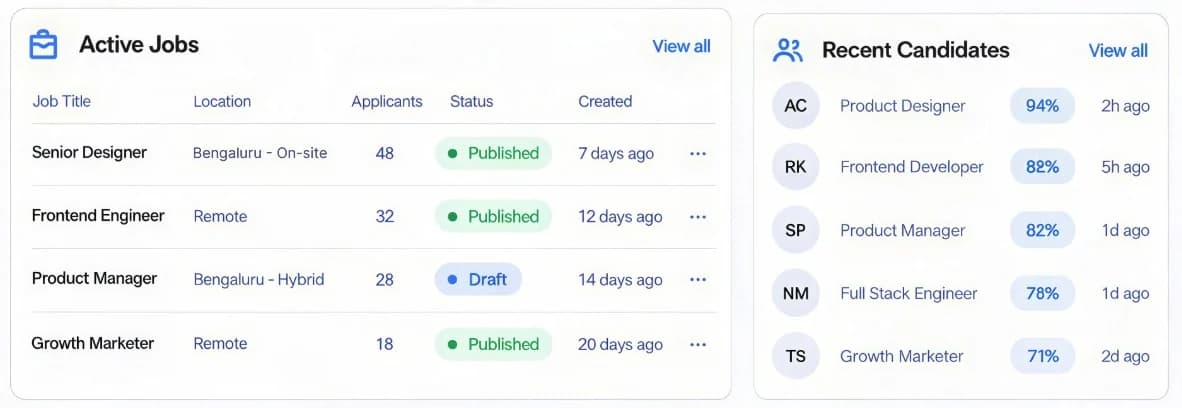
The ATS is the system of record for hiring. It publishes jobs to your careers page and job boards, collects every application, moves candidates through your stages, schedules interviews, stores feedback and records the offer. Every other tool on this list either feeds candidates into it or acts on candidates in it.
Tools to consider:
- Fluxberry scores every applicant 0–10 with a written summary, strengths and concerns, for a flat $39/month with unlimited team members. It doesn't have interview kits or scorecards yet.
- Greenhouse is the benchmark for structured interviews, with 400+ integrations and quote-only pricing.
- Ashby bundles CRM, scheduling and deep analytics, from $300 a month for companies with 1–10 employees.
- Workable posts to 200+ job boards and has a 15-day trial, from $299 a month billed annually.
We compare ten of them in detail in our guide to the best applicant tracking systems for small businesses.
When you need it: as soon as you have more than one open role, or more applicants than you can reply to within a few days.
4. AI screening
AI screening reads applications and helps you decide who to look at first. Some tools score and rank applicants, some check each of your criteria without an overall score, and some suggest matches. It can be built into the ATS or bought as a layer on top.
Built into the ATS: Fluxberry, Lever, Workable, Pinpoint, Breezy HR and Manatal score applicants; Greenhouse prioritises them with Talent Matching; Ashby and Recruitee check your criteria without scoring.
Layers on top of an existing ATS:
- hireEZ adds applicant review and AI screening to the ATS you already run.
- Metaview has an application-review agent alongside its note-taker and sourcing agent.
- Gem scores and ranks every inbound application with an explanation.
What to check: whether you can see the reasoning behind every score, what personal data is removed first, and whether the tool has been independently audited for bias. New York City requires a bias audit and candidate notice for automated screening tools, and the EU AI Act's rules for high-risk hiring AI, which include candidate screening, apply from December 2027. Our ATS guide covers the questions to ask vendors.
5. Interview scheduling
Scheduling tools let candidates pick a slot from interviewers' real availability, send reminders and handle reschedules, so no one spends days on email back-and-forth.
Tools to consider:
- Calendly handles one-on-one screens, panels and group interviews, and connects to many ATSs. Standard is $10 per seat a month billed annually ($12 monthly), Teams $16 ($20 monthly), and there is a 14-day trial.
- GoodTime automates complex loops: multi-day onsites, panels, interviewer load-balancing and automatic replacement. It is priced on the number of candidates a year, not per user, and syncs both ways with Greenhouse, Lever, Ashby, Workday and iCIMS.
- Built into your ATS: Ashby, Workable, Breezy HR and BambooHR include self-scheduling, and Fluxberry books interviews straight onto Google Calendar.
When you need it: a calendar link is enough for most small teams; add a dedicated tool when panels and multi-round loops add days to every hire.
6. Assessments
Assessment software tests skills before or instead of an early interview, with coding challenges, cognitive and personality tests, or job simulations.
Tools to consider:
- TestGorilla has a library of 350+ tests for roles of all kinds. A limited plan costs nothing, and Core is $142 a month billed annually.
- HackerRank runs coding screens and live technical interviews with plagiarism detection. The Starter plan is $199 a month, or $1,990 a year.
- Criteria offers cognitive, personality and skills tests plus video interviewing, sold by quote with a 14-day trial.
When you need it: when resumes are a weak signal for the role, such as engineering, sales or roles open to career changers.
7. Interview intelligence
Interview intelligence tools join the interview, record and transcribe it, and write up notes and highlights against your scorecard, so interviewers can listen instead of typing.
Tools to consider:
- Metaview writes interview notes automatically. Its note-taker has a limited plan (25 calls a month) and Pro at $60 per user a month.
- BrightHire records interviews and builds structured highlights tied to scorecards. It has been part of Zoom since December 2025, and pricing is by demo.
- Built into your ATS: Lever includes AI interview transcripts and summaries, and Greenhouse and Ashby offer note-takers.
For more options, see our comparison of Metaview alternatives.
When you need it: once interview volume is high enough that writing up feedback delays decisions.
8. Background checks and offers
The last step verifies the candidate and gets the offer signed. Background check providers run identity, criminal, employment and education checks; e-signature tools handle the offer letter.
Tools to consider:
- Checkr runs fast, API-driven US checks, pay-as-you-go from $29.99 (Basic) to $94.99 (Complete) per report, plus pass-through fees.
- GoodHire, owned by Checkr, is aimed at small businesses running occasional checks, at the same per-check prices.
- First Advantage, which completed its acquisition of Sterling in October 2024, covers global, multi-country screening.
- DocuSign signs offer letters and onboarding documents, from $30 per user a month on the Standard plan (billed annually).
Many ATSs include offers with e-signature (Ashby, Workable, BambooHR, Pinpoint), and Fluxberry sends offers as a link the candidate accepts online. Our integration guides for Greenhouse, Lever, Ashby, BambooHR and SAP SuccessFactors show which checks connect to each.
All-in-one or best-of-breed?
| Situation | Choose | Why |
|---|---|---|
| Under 50 employees, no recruiter | An all-in-one ATS with AI screening | One tool, one login, and the founder or manager gets a shortlist instead of a pile |
| One recruiter, steady hiring | An ATS plus one or two specialist tools | Add sourcing or assessments where the bottleneck actually is |
| A talent team running many loops | A structured-hiring ATS plus best-of-breed tools | Scheduling, interview intelligence and CRM pay off at volume |
| Hiring mostly hourly or high-volume roles | An ATS with strong automation and texting | Speed and candidate communication matter most |
The more tools you add, the more integrations you have to maintain, so start with the one that removes the biggest delay.
Recruiting software stacks by team size
A 5-person startup hiring its first few people: an ATS with AI screening and calendar scheduling, such as Fluxberry or Breezy HR, plus pay-per-check background checks from Checkr or GoodHire when you make an offer. That is usually everything.
A 50-person company with one recruiter: an ATS with AI screening, a sourcing tool for hard roles (Fluxberry Max, Juicebox or SeekOut), assessments for technical roles (TestGorilla or HackerRank) and background checks. Keep scheduling inside the ATS unless panels become a bottleneck.
A 200-person company with a talent team: a structured-hiring ATS (Greenhouse, Ashby or Lever), a CRM and sourcing layer (Gem or SeekOut), dedicated scheduling (GoodTime), interview intelligence (BrightHire or Metaview), assessments and background checks, all connected to your HRIS. At this size, a light ATS like Fluxberry is usually the wrong centre of the stack.
A staffing agency: look for agency-specific features such as client portals and placement tracking (Zoho Recruit, Manatal and Bullhorn cater to agencies). Fluxberry isn't built for agency workflows.
How much does recruiting software cost?
| Type | Typical pricing model | Published examples (September 2026) |
|---|---|---|
| Sourcing | Per seat, per month | Juicebox from $99; SeekOut from $149 billed annually |
| Recruiting CRM | Per seat or company headcount | Gem startup bands; Beamery by quote |
| ATS | Flat, headcount or per recruiter | Fluxberry $39; Ashby from $300; Workable from $299 billed annually |
| AI screening | Included in the ATS, or credits | Included in Fluxberry; credits in Workable and Breezy HR |
| Interview scheduling | Per seat, or per candidate a year | Calendly from $10 per seat billed annually; GoodTime by quote |
| Assessments | Per plan or credits | TestGorilla Core $142 billed annually; HackerRank Starter $199 |
| Interview intelligence | Per user, per month | Metaview note-taker Pro $60 per user |
| Background checks | Per report | Checkr $29.99 to $94.99 per report |
For a small team, an ATS with screening built in is usually the only fixed monthly cost; checks are paid per hire, and specialist tools can wait.
How to choose recruiting software
- Find the real bottleneck. Is it finding people, reading applications, booking interviews or deciding? Buy for that first.
- Start with the ATS. Everything else plugs into it, so choose it before any specialist tool.
- Check the integrations between every tool you're considering and your ATS, and whether they sync both ways.
- Model the cost at twice your size. Per-seat pricing that is cheap today can double with your team.
- Try it on a live role. Prefer tools with a trial or a sandbox, and involve a hiring manager in the test.
- Confirm you can leave. Check that you can export candidates, resumes and notes.
Once the stack is in place, our guide to improving your hiring process covers how to get the most out of it.
Start your stack with Fluxberry
If you're a small team building your first hiring stack, start with the centre of it. Fluxberry gives you an ATS with AI screening, a careers page, Google Calendar interviews and offers for one flat price, with sourcing on the Max plan. Create your Fluxberry workspace and have your first job live today.
Frequently asked questions
What is the best recruiting software?
There isn't one best tool, because recruiting software covers several jobs. For the ATS at the centre, Greenhouse leads on structured hiring, Ashby on analytics and Fluxberry on explained AI screening for small teams. For sourcing, Juicebox and SeekOut; for scheduling, Calendly and GoodTime; for assessments, TestGorilla and HackerRank; for background checks, Checkr.
What is the difference between recruiting software and an ATS?
An ATS is one type of recruiting software: the system of record that holds jobs, applications and hiring decisions. Recruiting software is the wider category, which also includes sourcing, CRM, scheduling, assessments, interview intelligence and background check tools that connect to the ATS.
How much does recruiting software cost?
It depends on the type. ATSs for small teams run from $39 (Fluxberry, flat) to around $300 to $400 a month, sourcing tools cost roughly $99 to $500 per seat a month, and background checks cost about $30 to $95 per report (all as published in September 2026).
What recruiting software do small businesses use?
Most small businesses start with an ATS that includes a careers page, job-board posting, AI screening and calendar scheduling, and pay per check for background checks. Sourcing, assessment and interview-intelligence tools usually come later, when hiring volume justifies them.
Can AI replace recruiters?
No. AI is good at reading large numbers of applications consistently, summarising candidates, finding profiles and drafting outreach. Judging fit, running interviews, selling the role and making the decision still need people, and laws such as New York City's Local Law 144 and the EU AI Act expect human oversight of AI used in hiring.
Founder of Fluxberry
Sayandeep builds Fluxberry, an AI native hiring platform for small teams, and writes about applicant tracking systems, recruiting software and running a faster hiring process.